
The broader computing landscape is weathering structural turbulence. Component supply chains are under immense pressure, triggering a widespread RAM crisis that has driven premium PC hardware prices up sharply. Yet, this economic friction hasn’t stalled product pipelines. While independent innovators pivot toward minimal hardware, as seen in how the Cuneflow e-paper slate bets big on automated AI tools to capture and streamline meeting workflows, legacy mainstays are focusing heavily on ironclad security and physical sensory feedback.
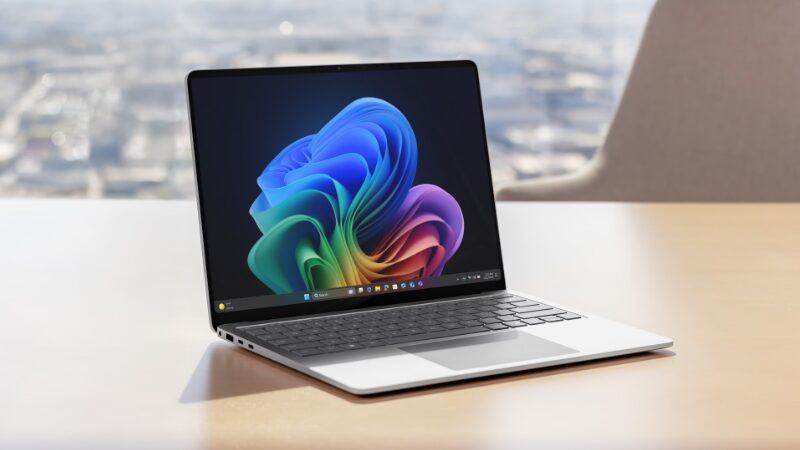
To meet the changing needs of businesses, Microsoft has introduced its newest Surface Laptop for Business and Surface Pro for Business models. Unlike most business laptops that focus only on technical specs, these new devices offer two standout physical features that change how people use their computers in public places.
One-Touch Shielding: The Integrated Privacy Screen
Executives and professionals who handle sensitive information in busy places like airports or coffee shops often worry about others seeing their screens. Microsoft is tackling this by offering an optional built-in privacy screen with anti-glare technology, a first for Surface devices.

Instead of using bulky plastic covers that you have to attach yourself, this electronic privacy layer is built into the screen. You can turn it on instantly with a special button on the keyboard.
Early reviews show that the system works well. It darkens the screen enough to block people nearby from reading it, but still lets coworkers sitting next to you see the display, so you can work together without the screen going completely dark.
System-Level Guidance via Advanced Haptics
In addition to privacy features, Microsoft is introducing a new Advanced Haptics system with this Surface update. Instead of just vibrating when you click, the trackpad and stylus give you specific feedback based on what you do.
The hardware responds in under 50 milliseconds, providing clear physical signals to guide you through everyday tasks.
- Canvas Alignment: When you move, resize, or rotate graphics in creative apps, the trackpad gives a clear signal right when an object lines up with a guide or the edge of the canvas.
- Accidental Close Protection: The trackpad gives a gentle warning pulse if your mouse pointer gets close to the window’s “Close” button, helping you avoid closing important files by mistake.
- Pen Synchronization: These feedback signals also work with the Surface Slim Pen 2, making it feel more like you are drawing on real paper. Some third-party apps, like Wondershare Filmora, already use this feature.
Silicon Performance and Capital Commitments
The entire commercial lineup receives a massive silicon overhaul, shifting away from aging architectures to embrace Intel’s latest Core Ultra Series 3 processors.
These new processors greatly improve graphics performance. Microsoft says the new Surface business models can deliver up to 35% better graphics than a MacBook Air with an M5 chip.
Furthermore, the revised power-efficiency curves significantly extend field deployment times. The Surface Laptop for Business claims a massive 23 hours of continuous operation on a single charge, while the modular Surface Pro for Business tablet is rated to survive up to 17 hours away from a wall outlet.
Fleet Pricing and Fleet Deployments
Because these computers are optimized for corporate deployment workflows, they ship with advanced security protocols, remote wipe capabilities, and optional 5G cellular radios, giving IT administrators complete peace of mind. However, this enterprise focus comes paired with severe pricing tiers that reflect the ongoing component crisis.
The new Surface devices are now available for businesses to buy in select markets.
