
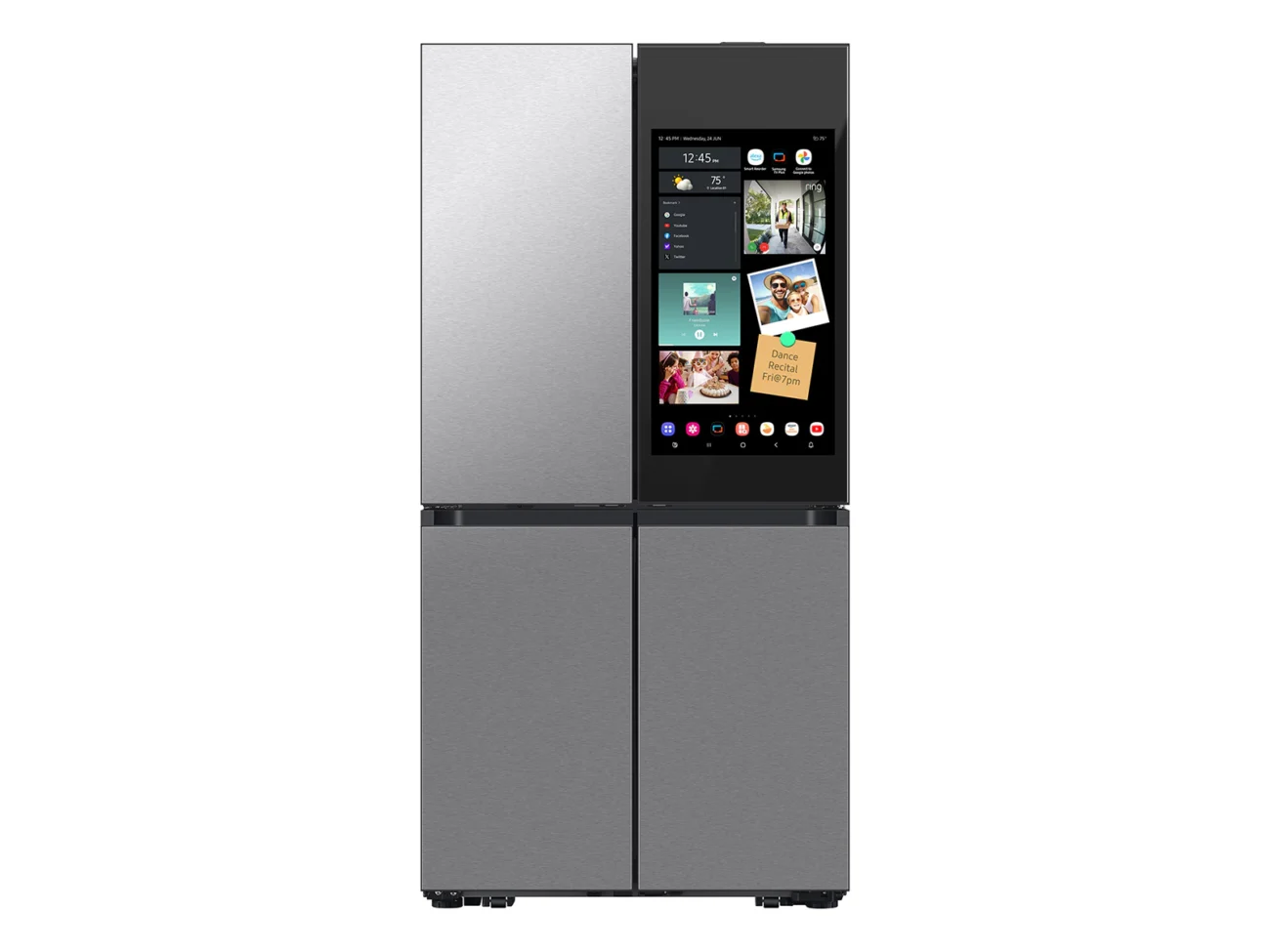
The Samsung Bespoke AI refrigerator is a top tier appliance designed for the tech-integrated home. While a traditional fridge is a simple “cold box,” Samsung’s 2026 lineup elevates the kitchen into a digital hub with high-end aesthetics and machine-learning capabilities.
The Verdict
- Expert Score: 87/100 (Engadget)
- Price: Starting at approximately $3,599 (AI-equipped models).
- Best For: Tech enthusiasts who want a centralized family hub and a high-performance, sleek appliance.
Standout Features
- Beverage Center: Tucked behind a hidden panel on the left door, this includes a water dispenser and a 48-ounce AutoFill pitcher with an infuser for fruit or tea. It is praised for its hygiene and sleek exterior design.
- 32-inch Display: This massive screen runs Samsung’s Tizen OS, serving as a family command center for calendars, photos, YouTube, and music widgets (Spotify/Amazon Music).
- AI Vision Inside: An internal camera tracks up to 37 types of fresh food and 50+ packaged items. It automatically logs what you put in, allowing you to check your fridge contents from your phone while grocery shopping.
- FlexZone Drawer: A middle drawer with independent temperature controls, perfect for drinks, snacks, or kid friendly storage.
Pros & Cons
| Pros | Cons |
| Huge, vibrant 32-inch display | Expensive entry price |
| Industry leading Beverage Center | AI recognition can be hit or miss |
| Refillable pitcher with infuser | Touch screen could be more responsive |
| Sleek, minimalist glass-front design | Occasional ads on the cover screen |
Looking Ahead: 2026 Updates
The 2025/2026 hardware remains consistent, but significant software enhancements are slated for later this year:
- Google Gemini Integration: Replacing Bixby with Gemini for vastly improved voice commands and kitchen assistance.
- Enhanced AI Vision: Updates to recognize a wider range of ingredients and better support for user labeled items in personal containers.
- Ad Management: While Samsung introduced ads on the “Cover Screen,” they can be disabled entirely by switching to “Art Mode” or a personal photo album
Extra Tips: To minimize screen smudges, use the Auto Open Door sensors at the bottom of the doors, which allow you to open the fridge with a light tap of your foot or hand.
